What’s new?
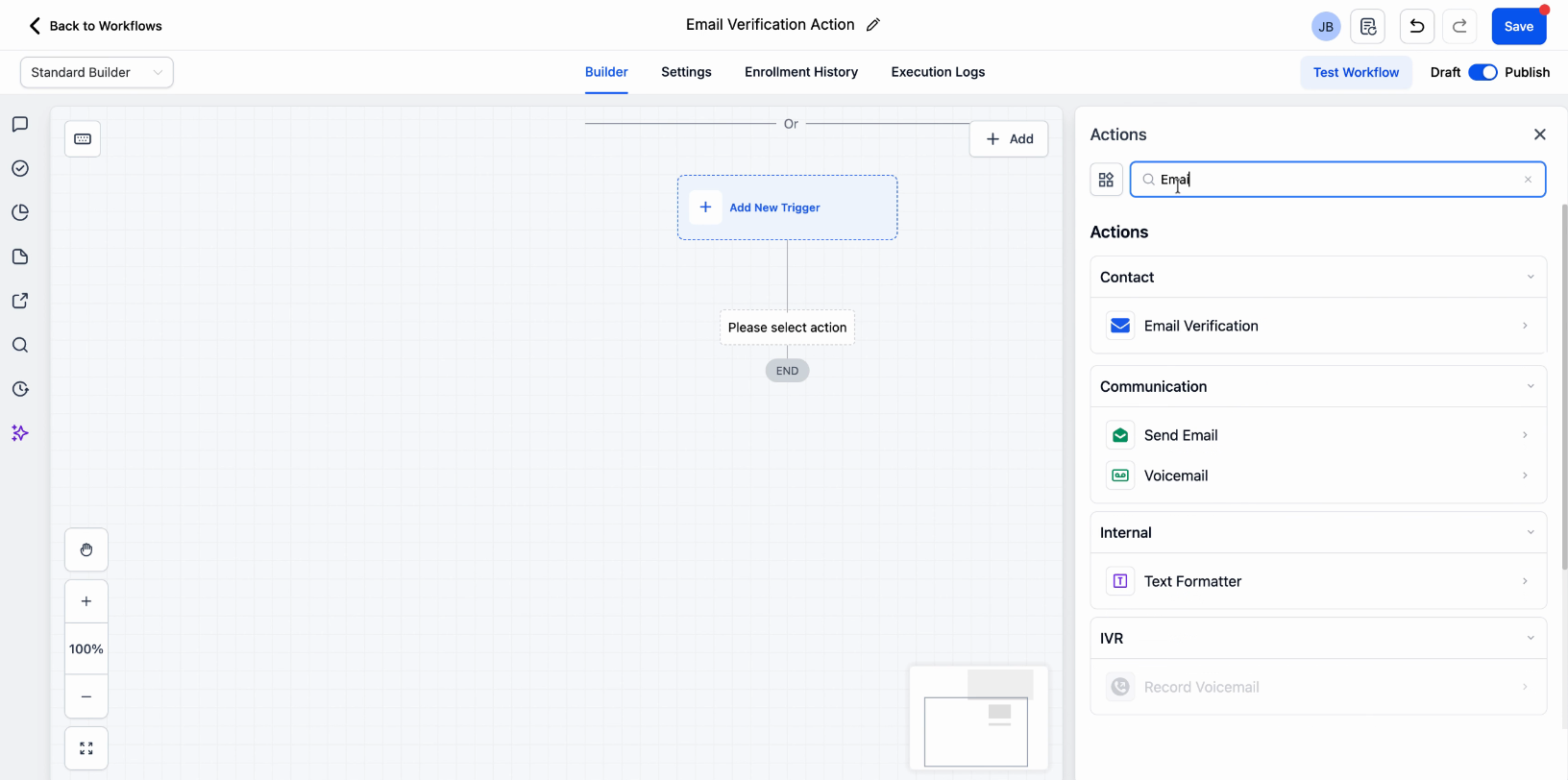
You can now verify email addresses directly within workflows before sending any emails. Simply add the Email Verification action to automatically check if a contact’s email is valid.
How it works
The Email Verification action checks whether an email address is valid, risky, or invalid before the workflow proceeds. This ensures emails are only sent to high-quality contacts, helping reduce bounces and protect your sender reputation.
How to use it
Add the Verify Email action inside your workflow
Place it before any email step
Use the result to decide whether to continue, branch, or stop the workflow
Why we built it
Sending emails to invalid or low-quality addresses can hurt deliverability. This update helps you automate list hygiene, improve performance, and ensure your emails reach real users.
Additional Notes
Works within workflows as a standalone action
Helps reduce bounces and failed deliveries
Supports better deliverability and sender reputation management
Was this article helpful?
That’s Great!
Thank you for your feedback
Sorry! We couldn't be helpful
Thank you for your feedback
Feedback sent
We appreciate your effort and will try to fix the article